How to switch my CelcomDigi app account to a new device?
Modified on Thu, 14 May at 3:15 PM
Check out the quick step-by-step guide below to learn how to unbind your previous active session on CelcomDigi app from your old device and log into the app using your new device.
Unbind active session from your old device:
Steps | Guide |
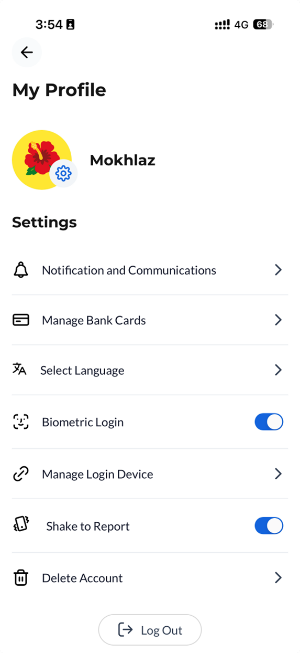
Step 1: On your old device, under ‘My Profile’ section, select ‘Manage Login Device’ |
|
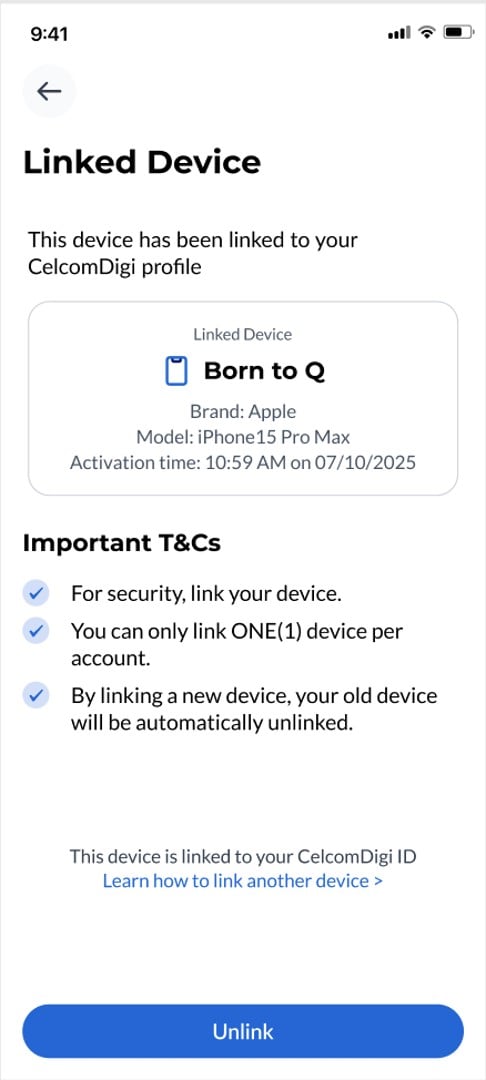
Step 2: Select ‘Unlink’ |
|
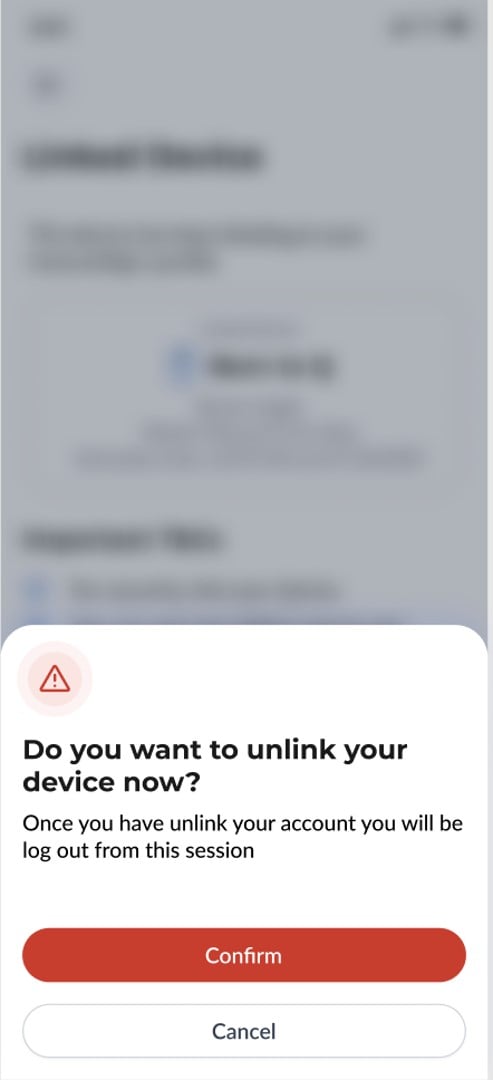
Step 3: To unlink successfully, select ‘Confirm’ on the confirmation prompt and complete biometric verification. After successful biometric verification, you’ll be redirected to the login screen. You can now log in using a different device. |
|
Note: If you do not have access to your old device, please contact CelcomDigi Customer Support.
Re-login to your account on your new device:
Steps | Guide |
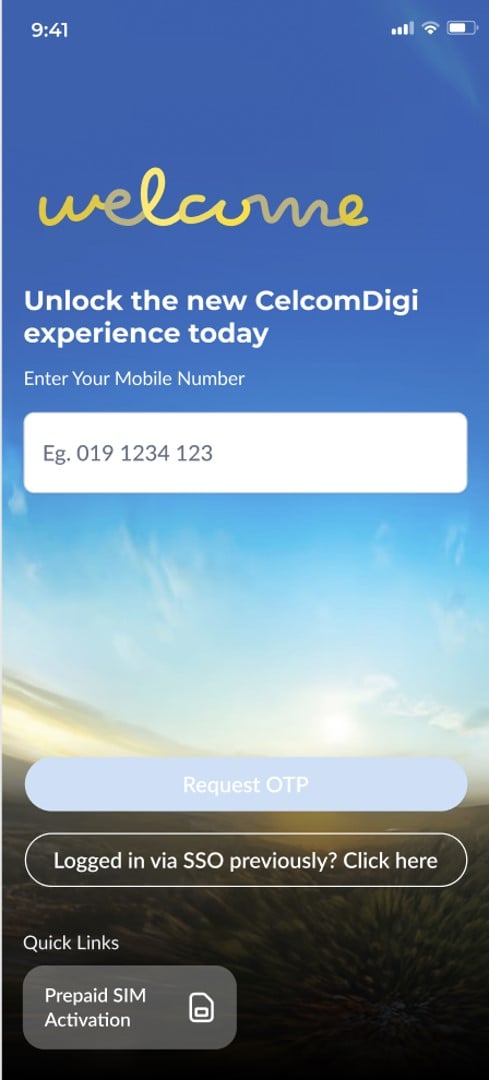
Step 1: On the CelcomDigi app login page, select ‘Logged in via SSO previously? Click here’ |
|
Step 2: Select the method you have used to log in to the app previously. |
|

Was this article helpful?
That’s Great!
Thank you for your feedback
Sorry! We couldn't be helpful
Thank you for your feedback
Feedback sent
We appreciate your effort and will try to fix the article


