How do I sign up and secure my CelcomDigi app account?
Modified on Tue, 31 Mar at 4:23 PM
Follow the steps below to set up your account for the first time, and to verify and secure your profile.
Step 1: Sign up using your mobile number.
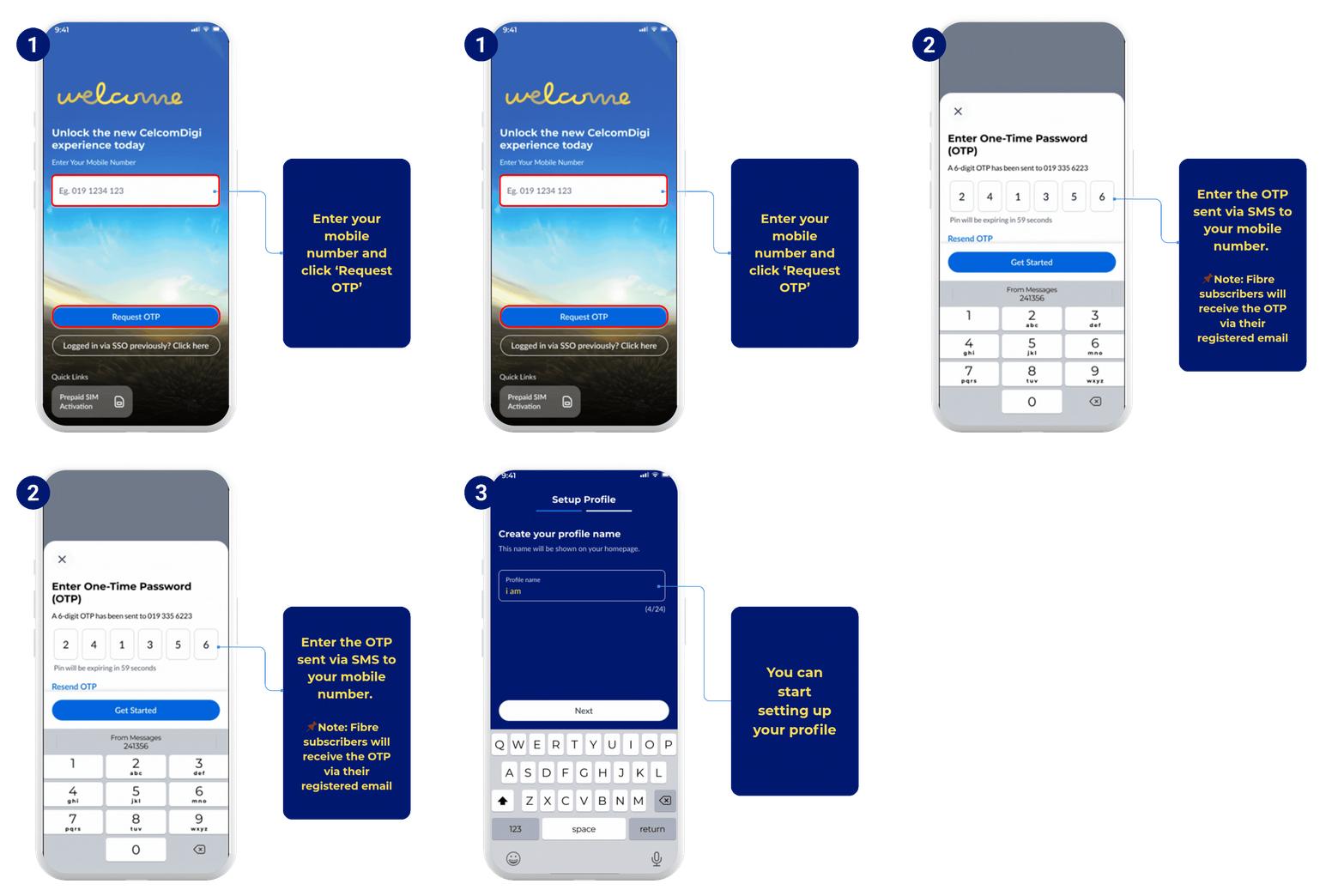
You now have access to all key transactions and exclusive rewards:
- View your account information
- Reload or top-up your line
- Purchase add-ons
- Make bill payments
Step 2: Enhance your profile with Single Sign-On identity verification (eKYC).
Identity verification is important to secure your personal data. Once you have completed this step, you will be able to:
- Manage your family lines
- Subscribe to auto-billing
- Make changes to your saved payment cards.
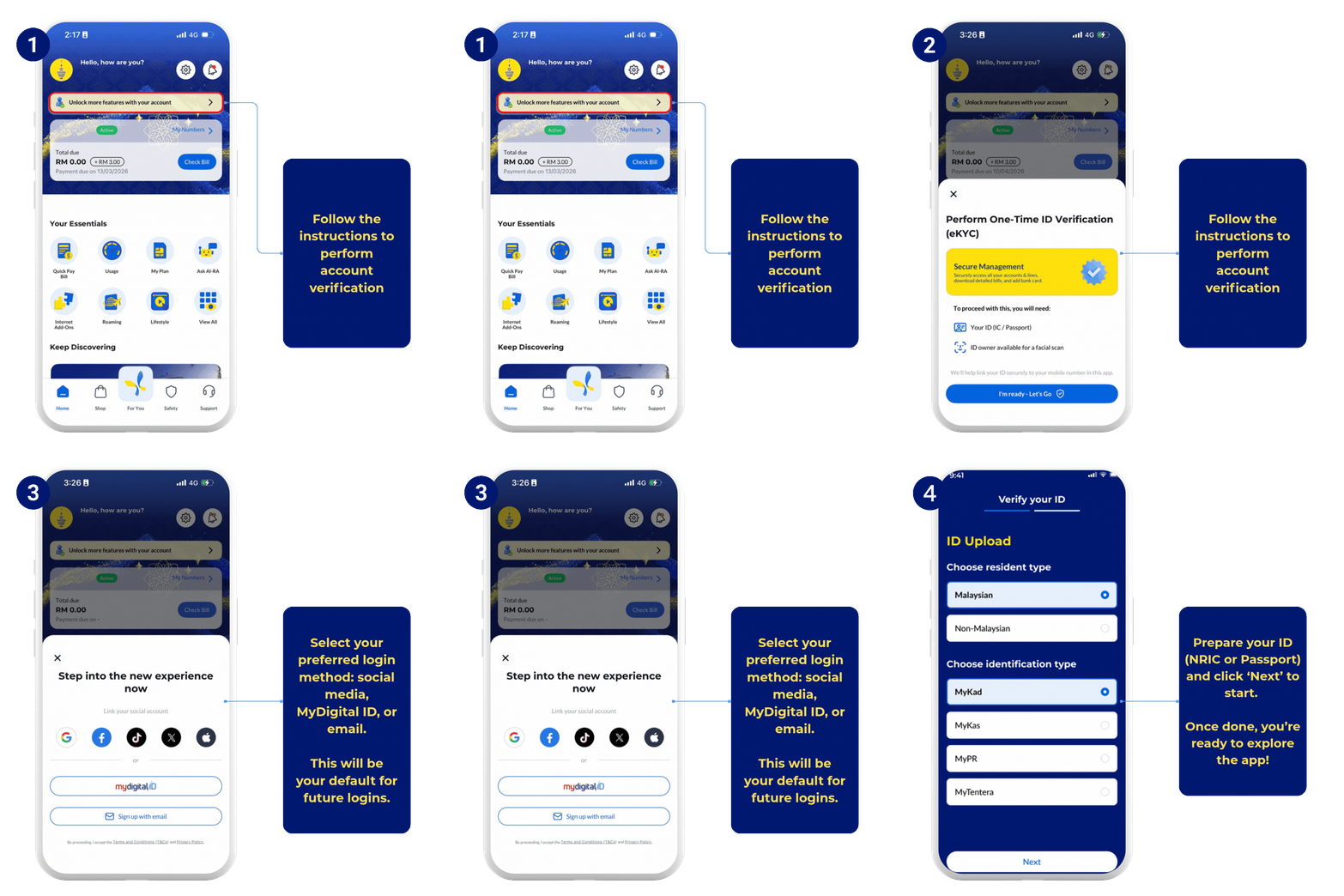
Completing your account verification ensures that only the verified account holder can access the profile, while enabling faster and more secure logins in the future. Learn more about why eKYC or account verification is important and how to complete it successfully.
Step 3: Remember your login method.
Once your identity is verified, please log in using the same method (social, MyDigital ID, or email).
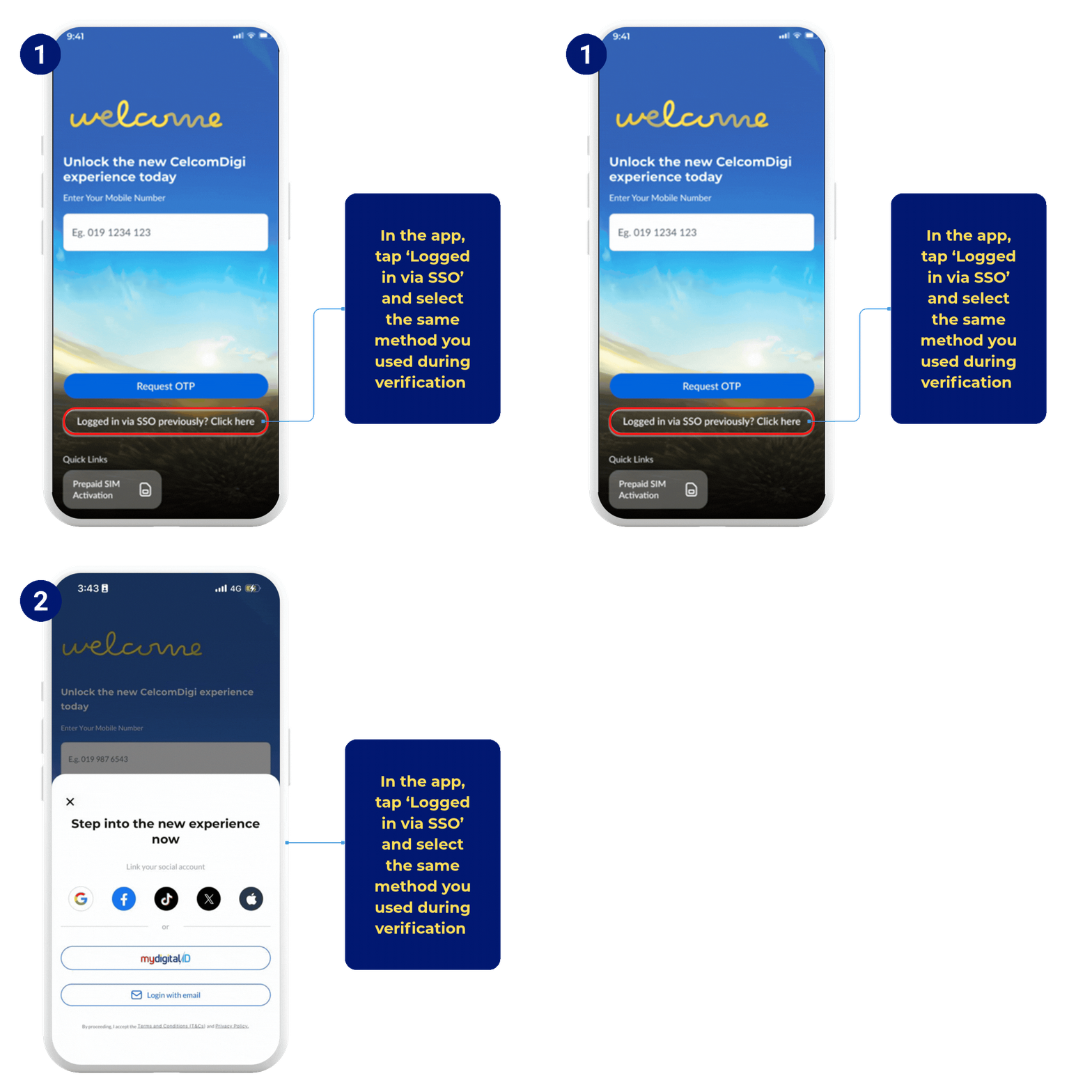
If you are unable to access certain features, you may not be logged into your verified profile. Simply log out and sign in again using the verified login method to regain full access. Was this article helpful?
That’s Great!
Thank you for your feedback
Sorry! We couldn't be helpful
Thank you for your feedback
Feedback sent
We appreciate your effort and will try to fix the article


