How to delete my CelcomDigi app account?
Modified on Thu, 14 May at 3:16 PM
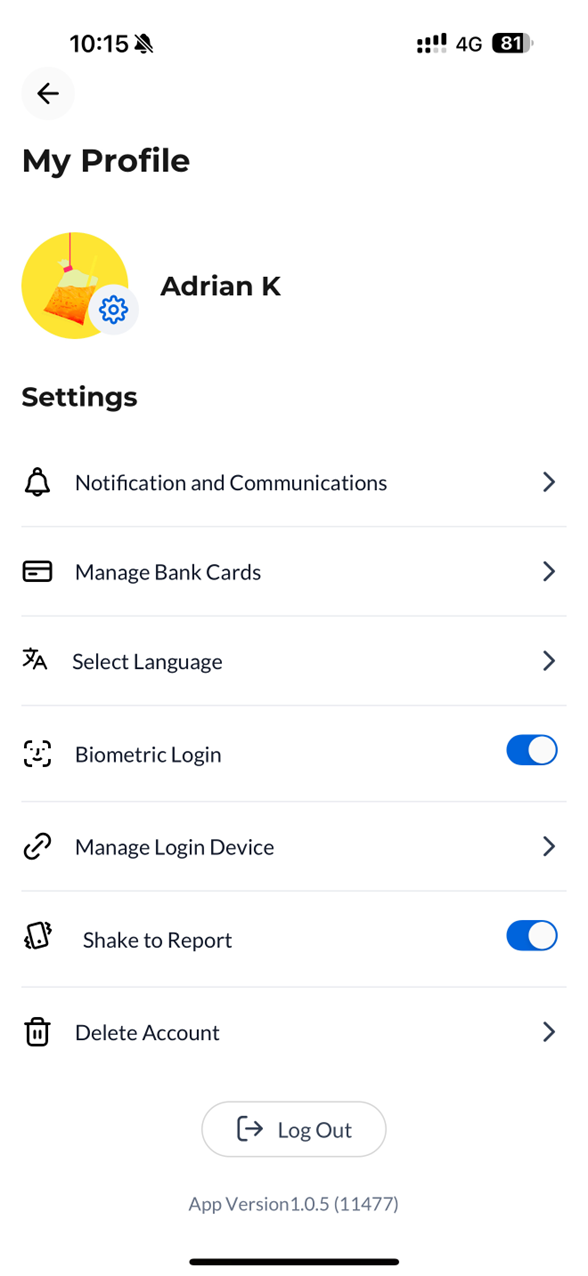
Step 1: In your Settings page, click on ‘Delete Account’
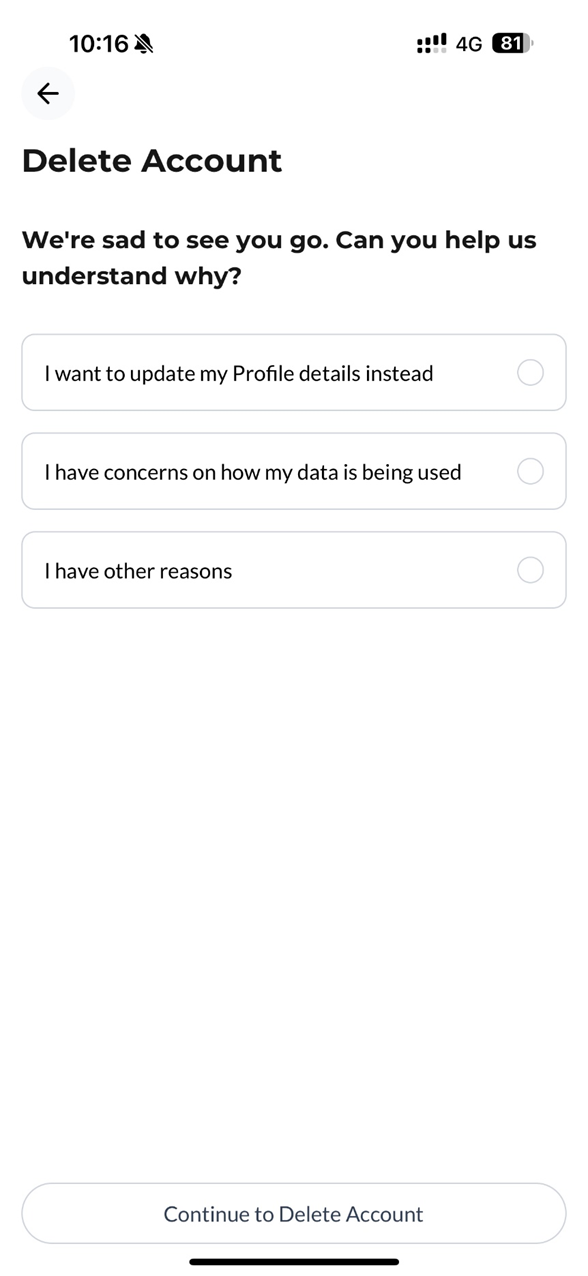
Step 2: Select the reason for deletion
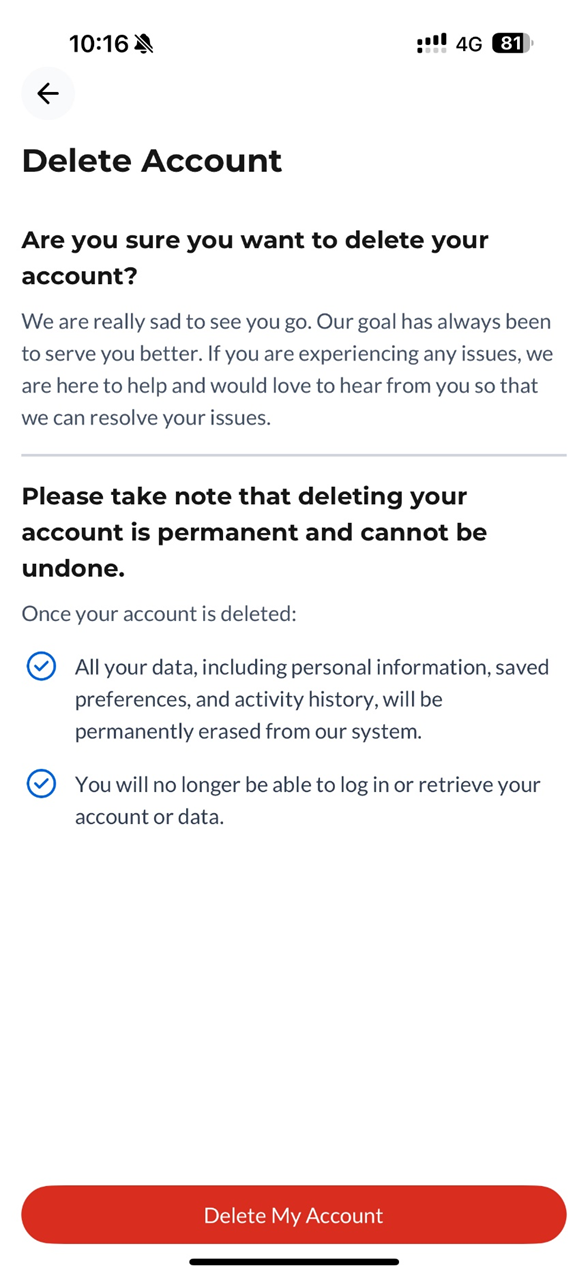
Step 3: Click ‘Delete My Account’ to proceed
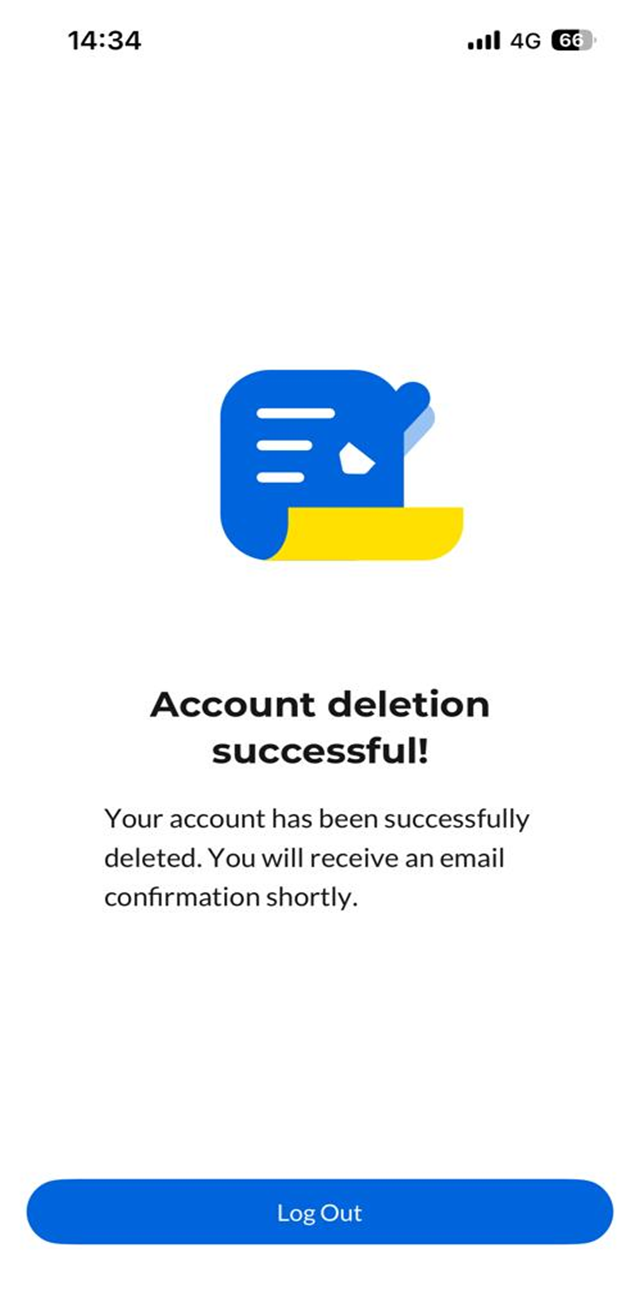
Step 4: Your account deletion is successful. You will receive a confirmation email at your registered email address.
Note: Deleting your CelcomDigi app account only removes your Single Sign On (SSO) login from the system. It does not terminate your line or service.If you experience any issues with the app, please don't hesitate to get in touch with us.
Was this article helpful?
That’s Great!
Thank you for your feedback
Sorry! We couldn't be helpful
Thank you for your feedback
Feedback sent
We appreciate your effort and will try to fix the article


