How to customize my profile details?
Modified on Mon, 9 Feb at 1:48 PM
Easily manage your CelcomDigi app profile settings anytime, anywhere - with these simple steps!
Steps | Guide |
Step 1: On your CelcomDigi app homepage, click on the |
|
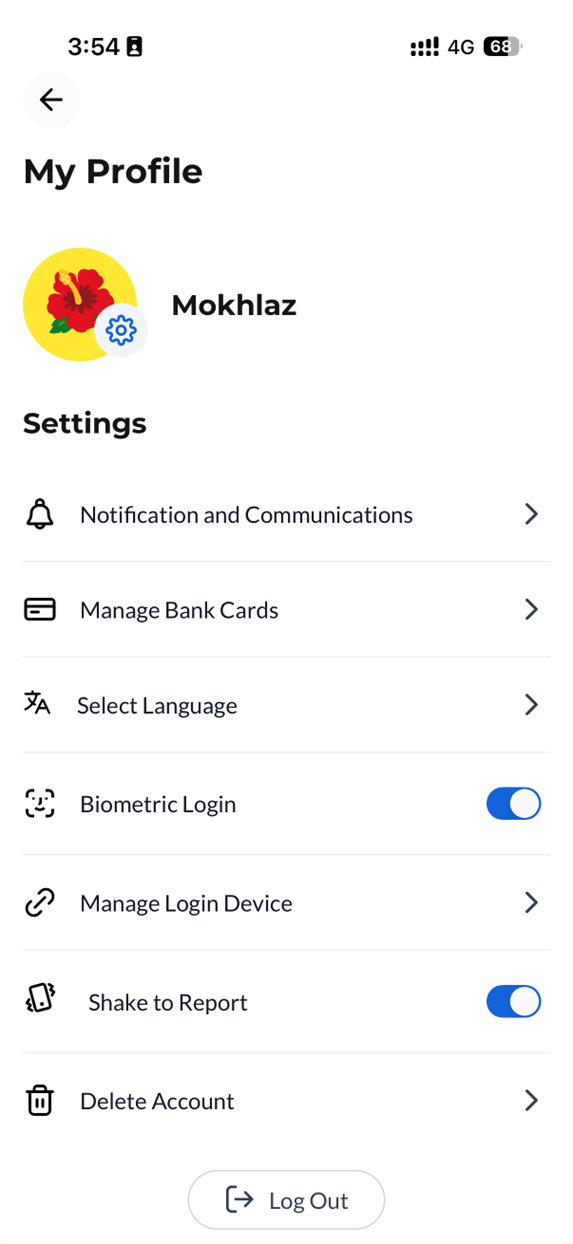
Step 2: Go to the ‘My Profile’ page, where you can update the following settings to personalize your account and enjoy a better experience:
|
|
 'Settings' icon at the top right corner or click ‘View All’ under Your Essentials and select ‘Profile Settings’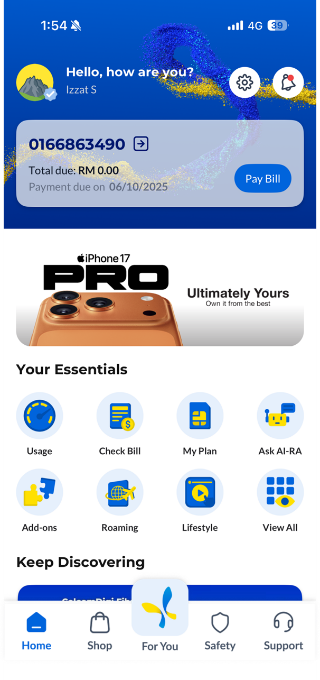
Was this article helpful?
That’s Great!
Thank you for your feedback
Sorry! We couldn't be helpful
Thank you for your feedback
Feedback sent
We appreciate your effort and will try to fix the article


