
- Mobile
- Devices
- At home
- Help
en
Inspire
Link 1
Link 2
At home
Choose your home Internet
Home FibreMulti-room WiFiPortable Home WiFiCheck coverageFind the right planFibre set up and supportFor IOS
1. Login to MobileSHIELD app
 |  |  |
Steps
| ||
2. Scam Protection
2.1 Safari Protection (includes Banking & Shopping Protection)
 |  |  |
Step 1: Get started on Safari Protection
| ||
 |  |  |  |  |  |
Step 2: Enable Access for Safari Protection
| |||||
What Safari Protection (including banking & shopping protection) does to protect you:
 |  |  |  |
| Blocks access to malicious sites | Indicates safe banking sites | Indicates safe websites | |
2.2 SMS Protection
 |  |  |  |
Step 1: Get started no SMS Protection
| |||
 |  |  |
Step 2: Enable access for SMS Protection
| ||
What SMS Protection does to protect you:
 |  |
| Detects and filter suspicious SMS into junk folder, protecting you in the background. | |
3. Privacy Protection
3.1 Privacy VPN
 |  |  | 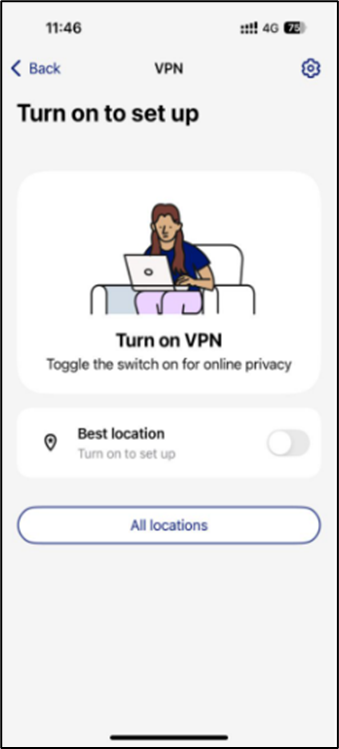 |  |
Steps:
| ||||
3.2 Password Vault
 |  |  |  |
Step 1:
| Step 2:
| ||
 |  |  |
| Step 3: Add and store your password or credit card details safely in Password Vault – so you’ll never forget them. | ||
4. Identity Protection
4.1 Identity Monitoring
 |  |  |  |  |
Step 1: Add email
| ||||
 |  |  |
Step 2: Verify email
| ||
 |  |  |
Step 3: Add entry for monitoring
| ||
What ID Monitoring does to protect you:
 |  |  |
| Detects data breaches and recommend users to take mitigations | ||
5. Security Protection
5.1 Device Protection
 |  |  |
Steps:
| ||





