Disney+ Activation Guide
Modified on Tue, 6 Oct at 4:00 PM
(For both the StreamMORE Bundles and StreamMORE Singles subscriptions.)
CelcomDigi App
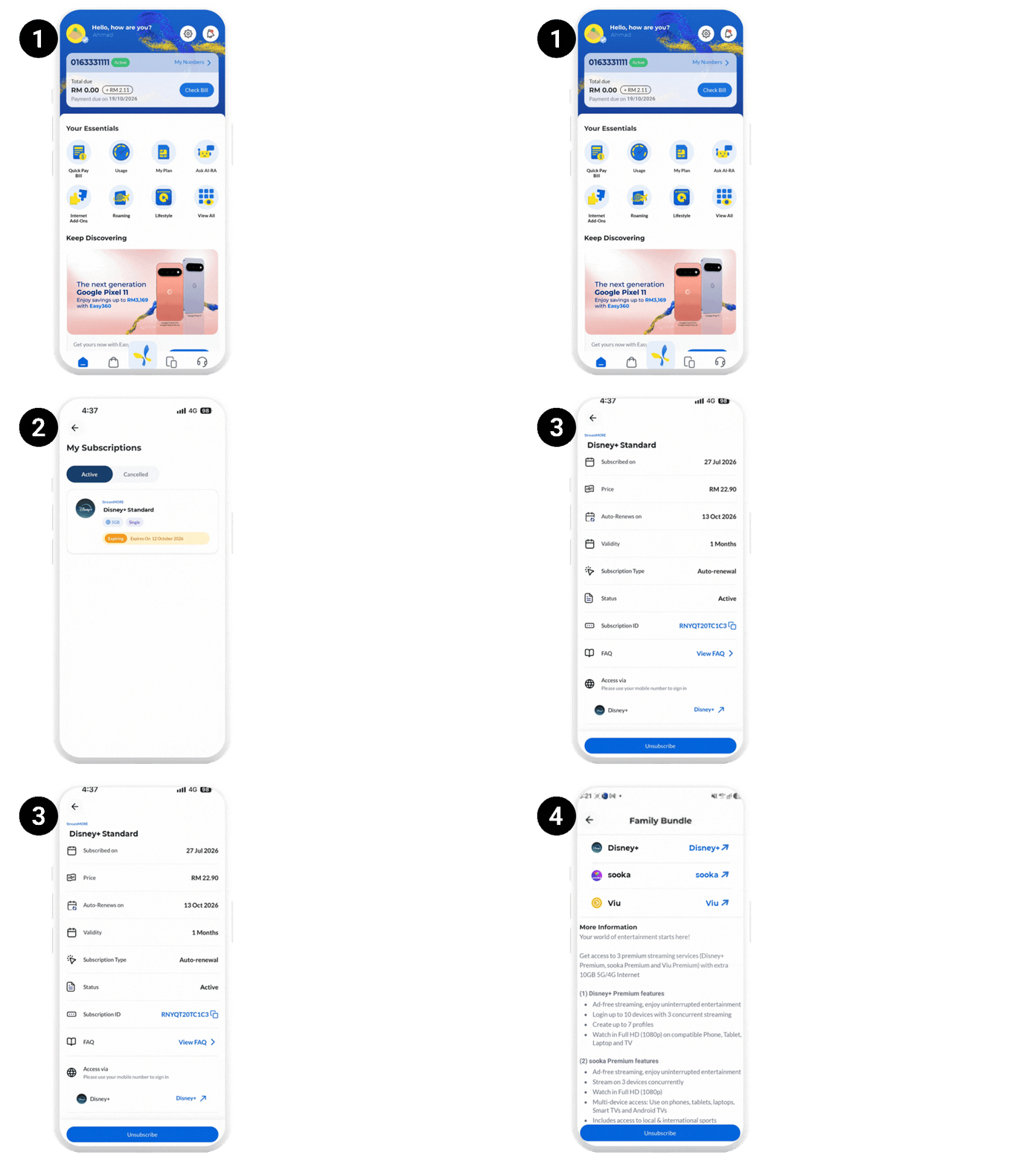
- Log in to CelcomDigi app
- Go to Lifestyle and select My Subscriptions OR go to My Plan and select Lifestyle Subscription
- Select Disney+ subscription
- Go to Access via and click on Disney+, you will be directed to the new Disney+ App
Disney+ App
Download the new Disney+ app via Play Store or App Store
Scenario 1: Disney+ Activation Set Up with New Mobile Number and New Email
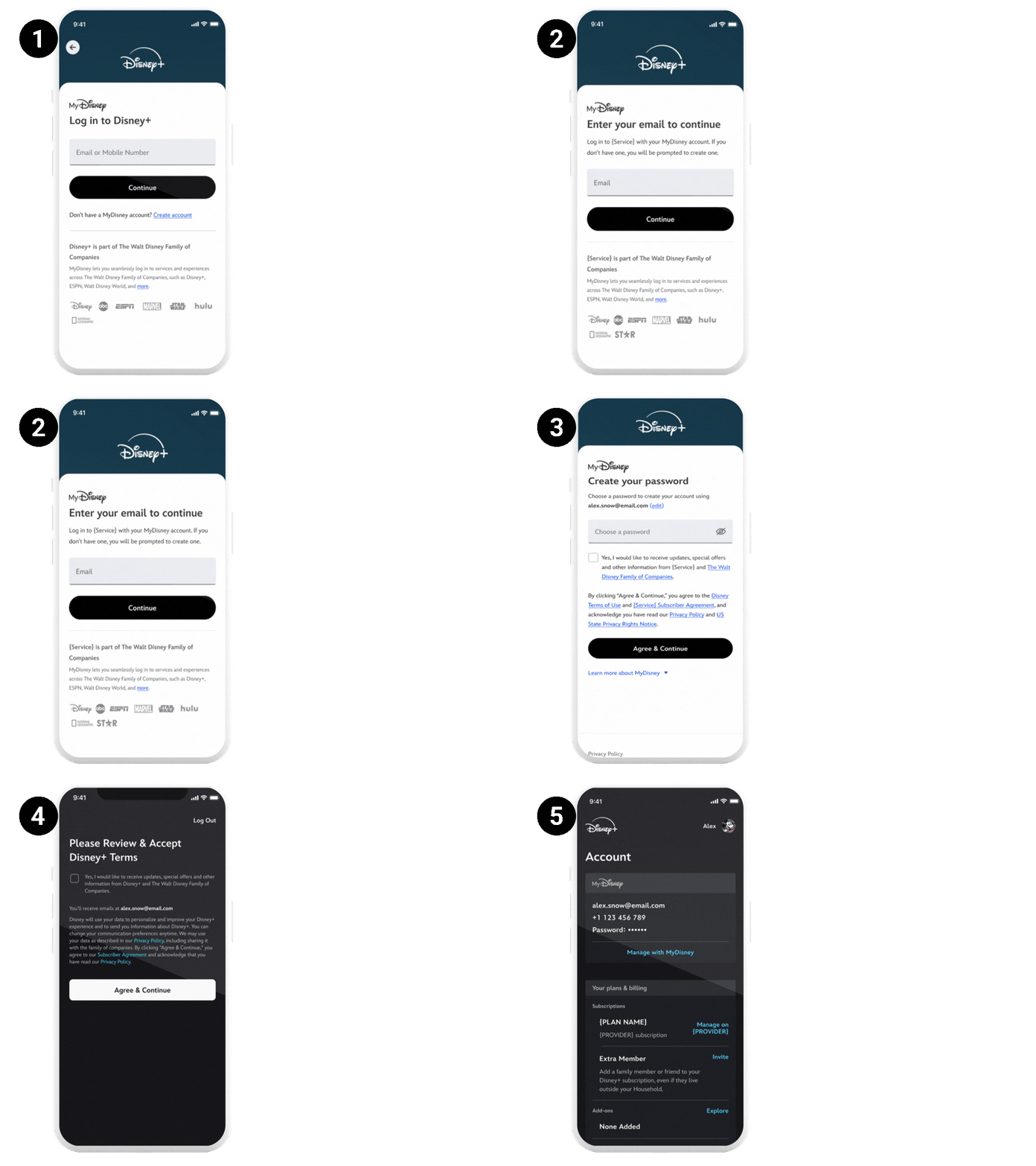
- Click Create Account to start
- Enter your Email and click continue
- Create your password and click Agree & Continue
- Agree to Disney+ Terms & Marketing Opt-In and click Agree & Continue
Scenario 2: Activation with New Mobile Number and Existing Email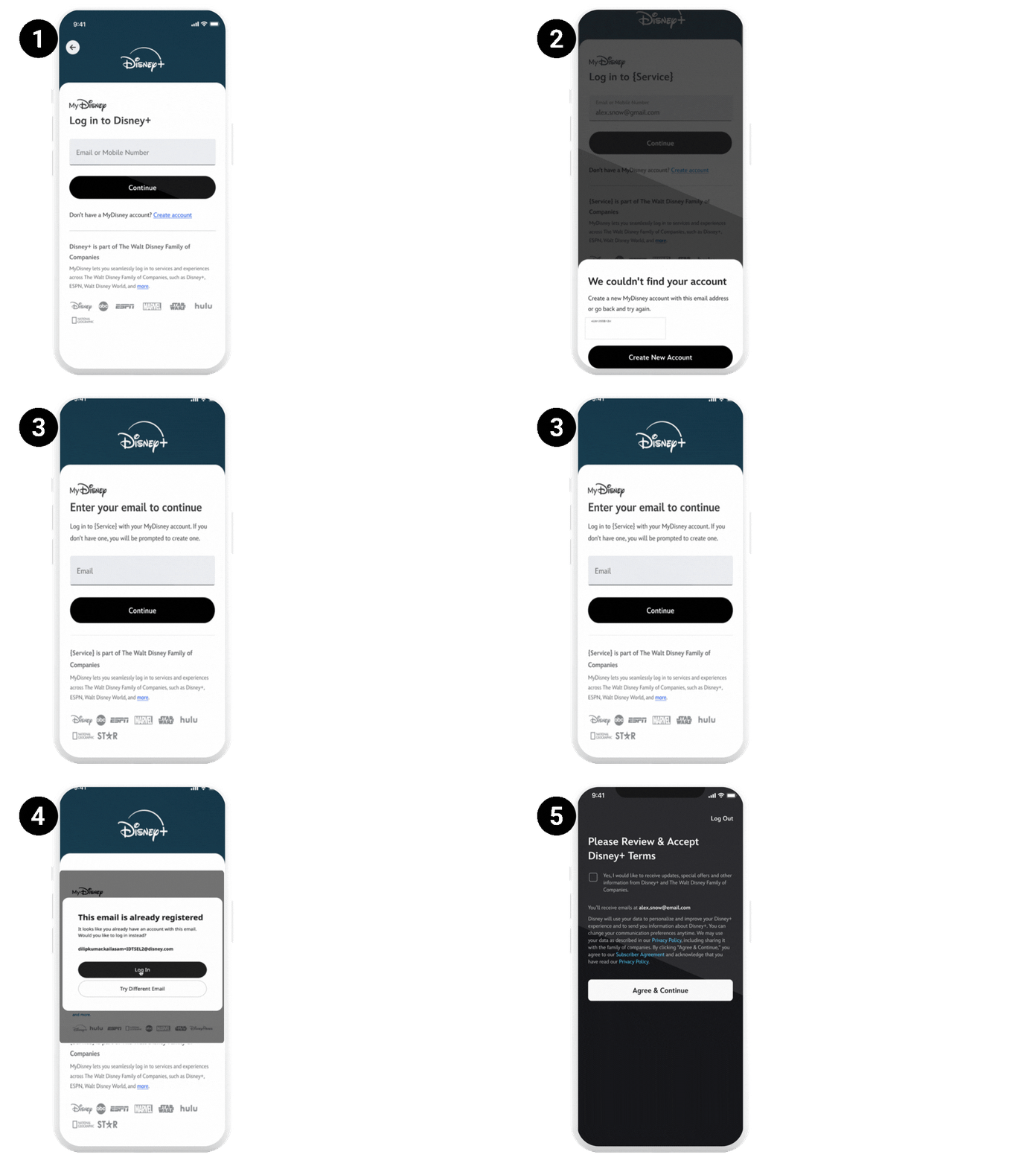
- Enter your Mobile Number and click continue
- Notification - Shown if new mobile is entered
- Enter your Email and click continue
- Notification - Existing Email is entered
- Enter your password and click Log In
- Agree to Disney+ Terms & Marketing Opt-In and click Agree & Continue
- Profile – Logs in to existing account
Scenario 3: Activation with Existing Mobile Number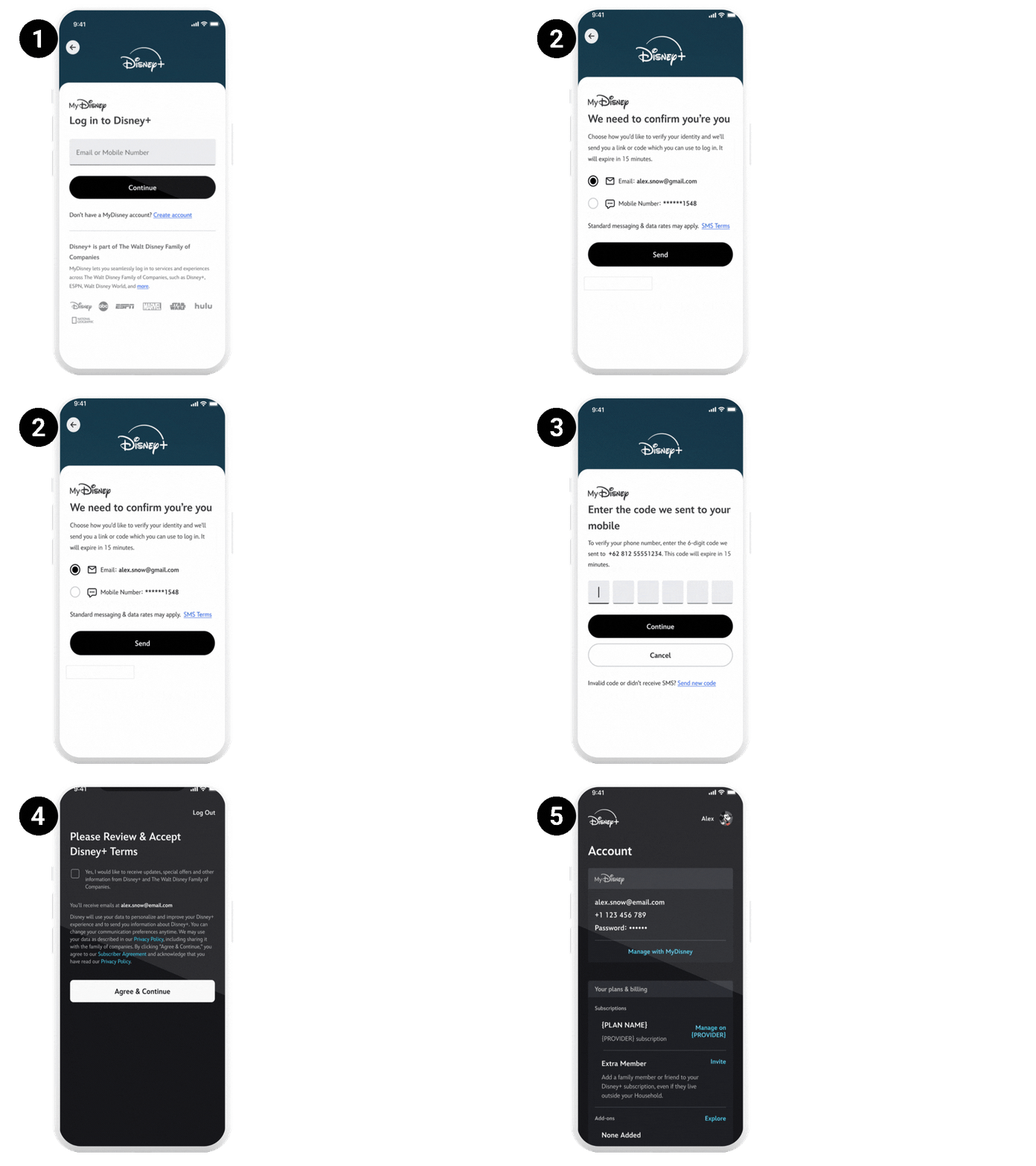
- Enter your Mobile Number and click continue
- Shown if Existing Mobile is entered
- Enter the OTP and click Continue
- Agree to Disney+ Terms & Marketing Opt-In and click Agree & Continue
- Profile – Log in to existing account
Scenario 4: Activation with Existing Email
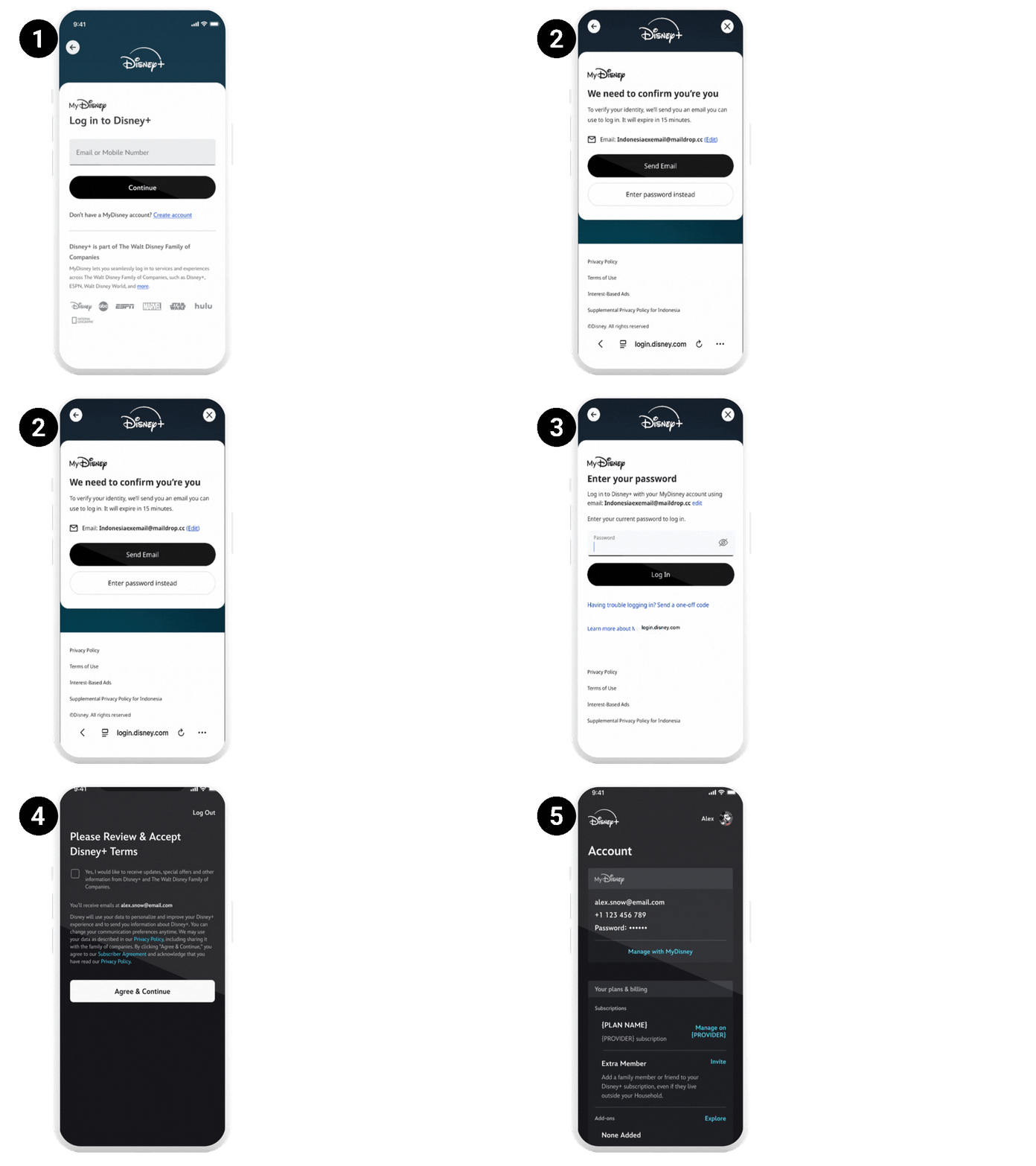
- Enter your Email and click continue
- Shown if Existing Email Address is entered
- Enter Password and click Log In
- Agree to Disney+ Terms & Marketing Opt-In and click Agree & Continue
- Profile – Log in to existing account
Scenario 5: Activation with New Email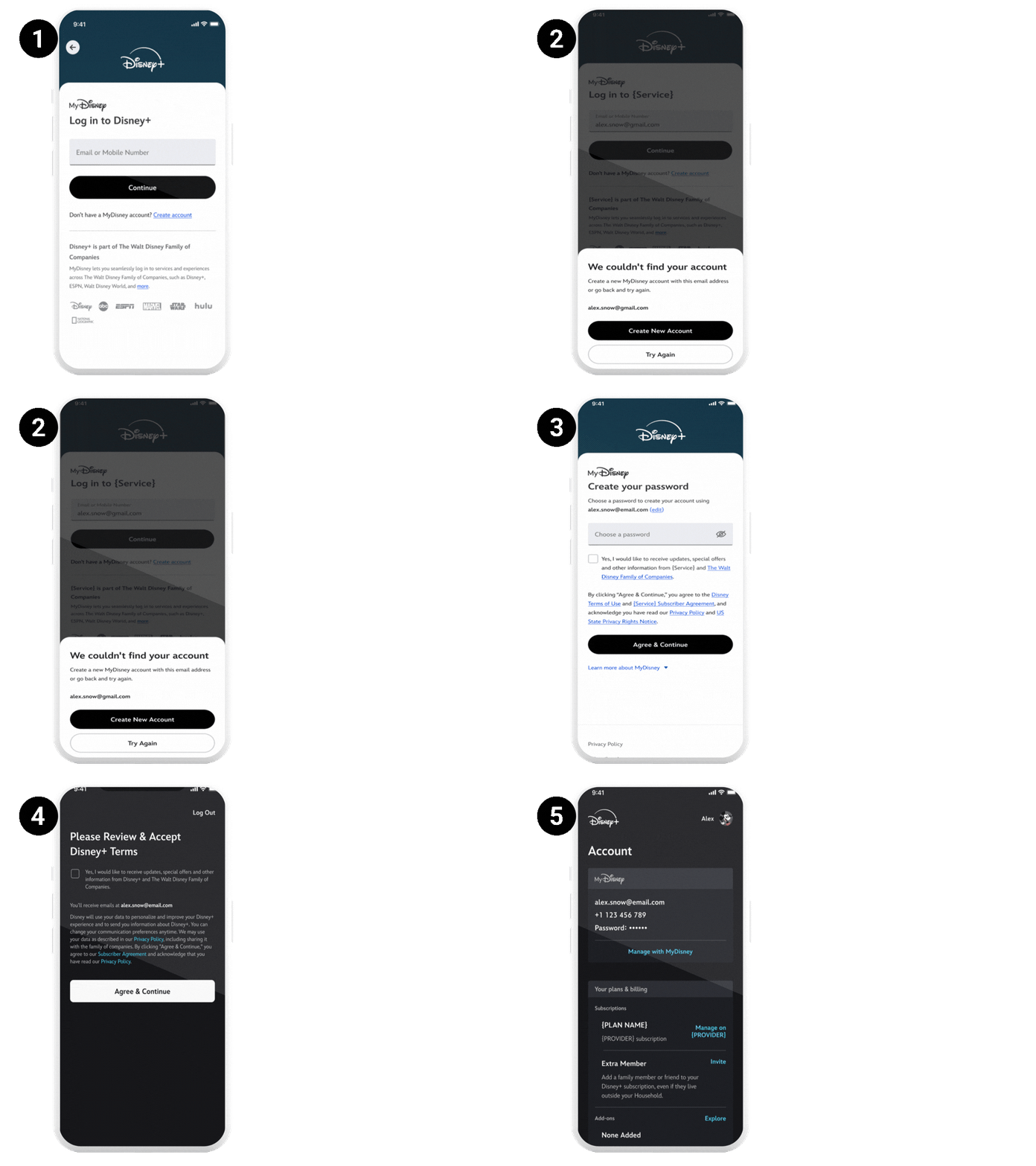
- Enter your Email and click continue
- Notification - Shown if New Email is entered
- Create your password and click Agree & Continue
- Agree to Disney+ Terms & Marketing Opt-In and click Agree & Continue
- Profile – Log in to account
Was this article helpful?
That’s Great!
Thank you for your feedback
Sorry! We couldn't be helpful
Thank you for your feedback
Feedback sent
We appreciate your effort and will try to fix the article


