How to manage multiple numbers in CelcomDigi app?
Modified on Mon, 9 Feb at 1:52 PM
With a single access point, you can effortlessly manage all your family plans in one account. Follow these steps to add multiple numbers in your account:
Steps | Guide |
Step 1: On your CelcomDigi app homepage, tap on 'My Numbers' beside your mobile number | 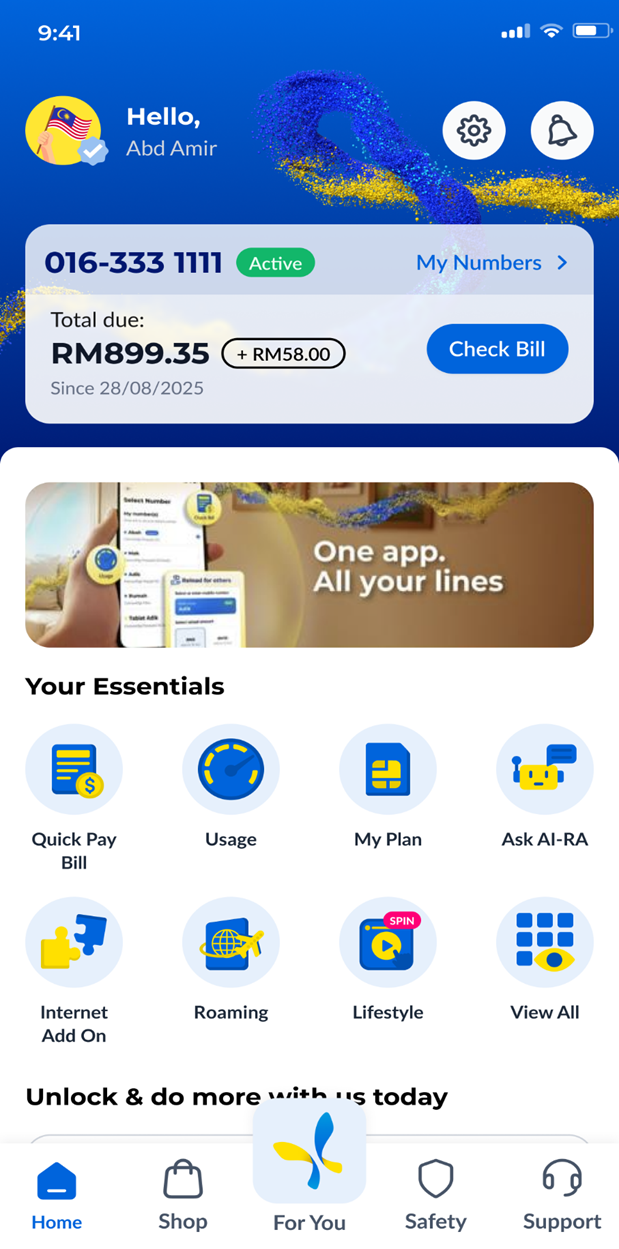 |
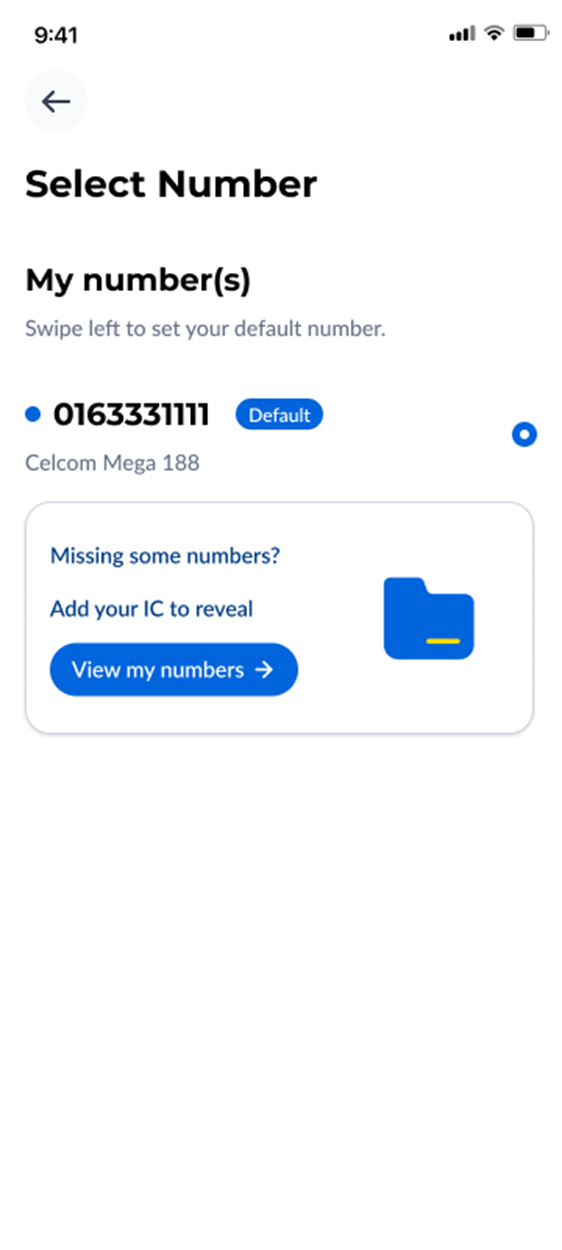
Step 2: Click on ‘View my Numbers’ and you will be prompted to verify your profile for managing multiple numbers |
|
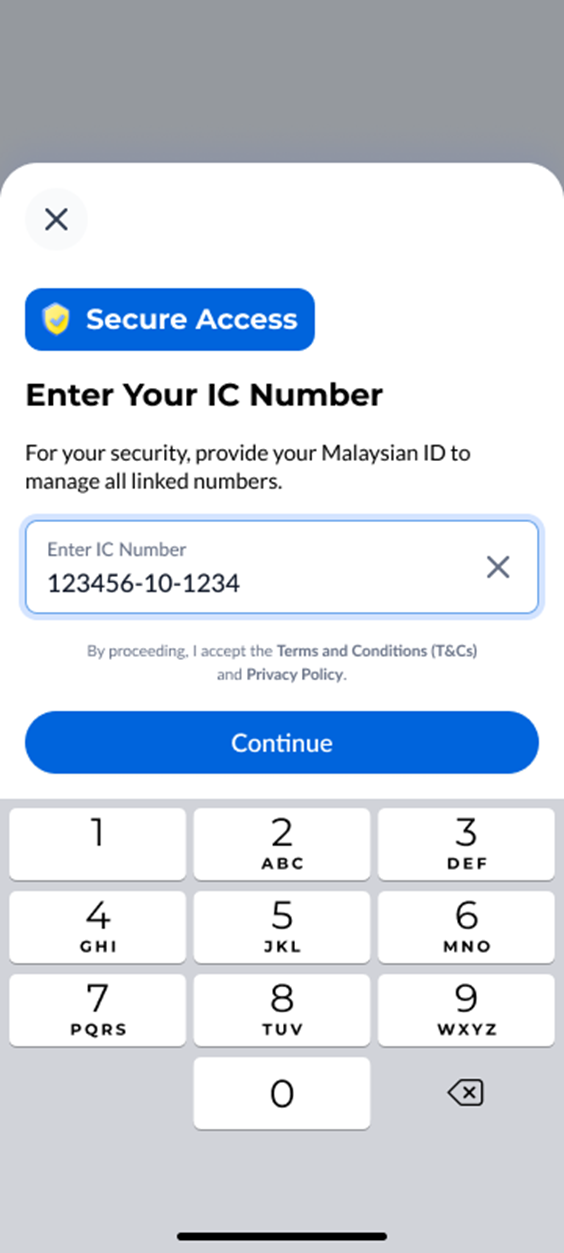
Step 3: Enter your ID and click 'Continue' |
|
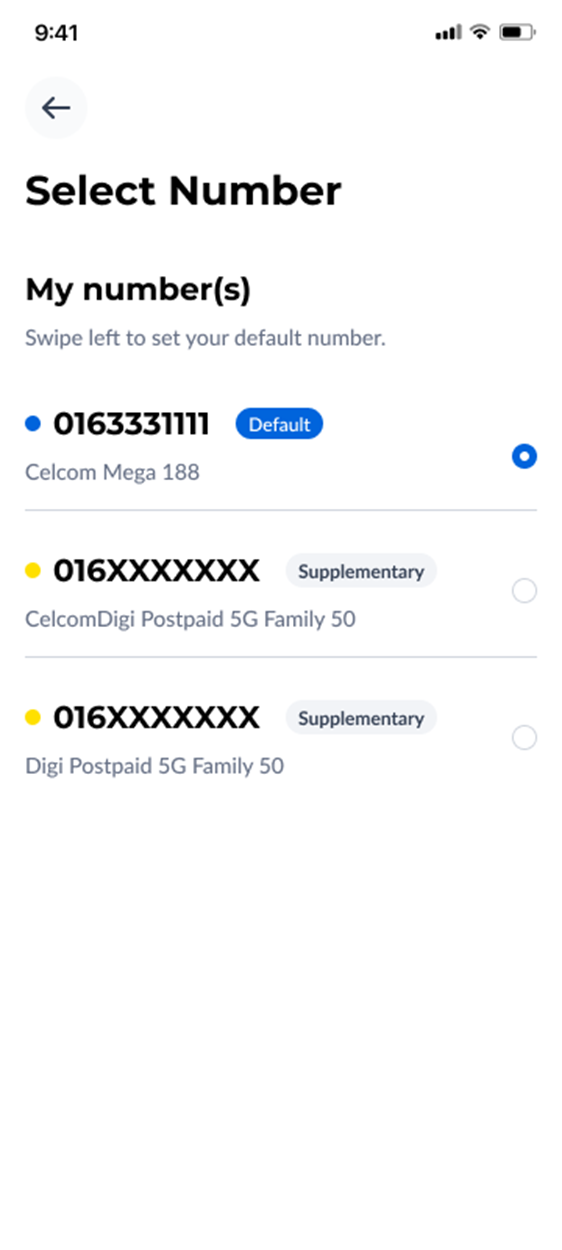
Step 4: Once completed, all the linked numbers under your ID will be listed here. |
|
Important: Please ensure your eKYC or account verification is completed to unlock full access to your account. Read here to know more about eKYC.
Was this article helpful?
That’s Great!
Thank you for your feedback
Sorry! We couldn't be helpful
Thank you for your feedback
Feedback sent
We appreciate your effort and will try to fix the article


