My reload failed, what should I do?
Modified on Thu, 14 May at 2:27 PM
Possible reasons for failed reload attempts:
- If you reload using PIN, you may have entered incorrect PIN.
- Multiple failed attempts at PIN reload leading to your account being locked.
- Invalid PIN number/ the PIN has already been used.
- Wrong PIN type purchased for your account.
- If you are performing a reload using a PIN, please ensure you have purchased the correct PIN number for your account system (either Celcom or Digi). To identify your account system:
Step 1: Open the CelcomDigi app and tap 'My Numbers'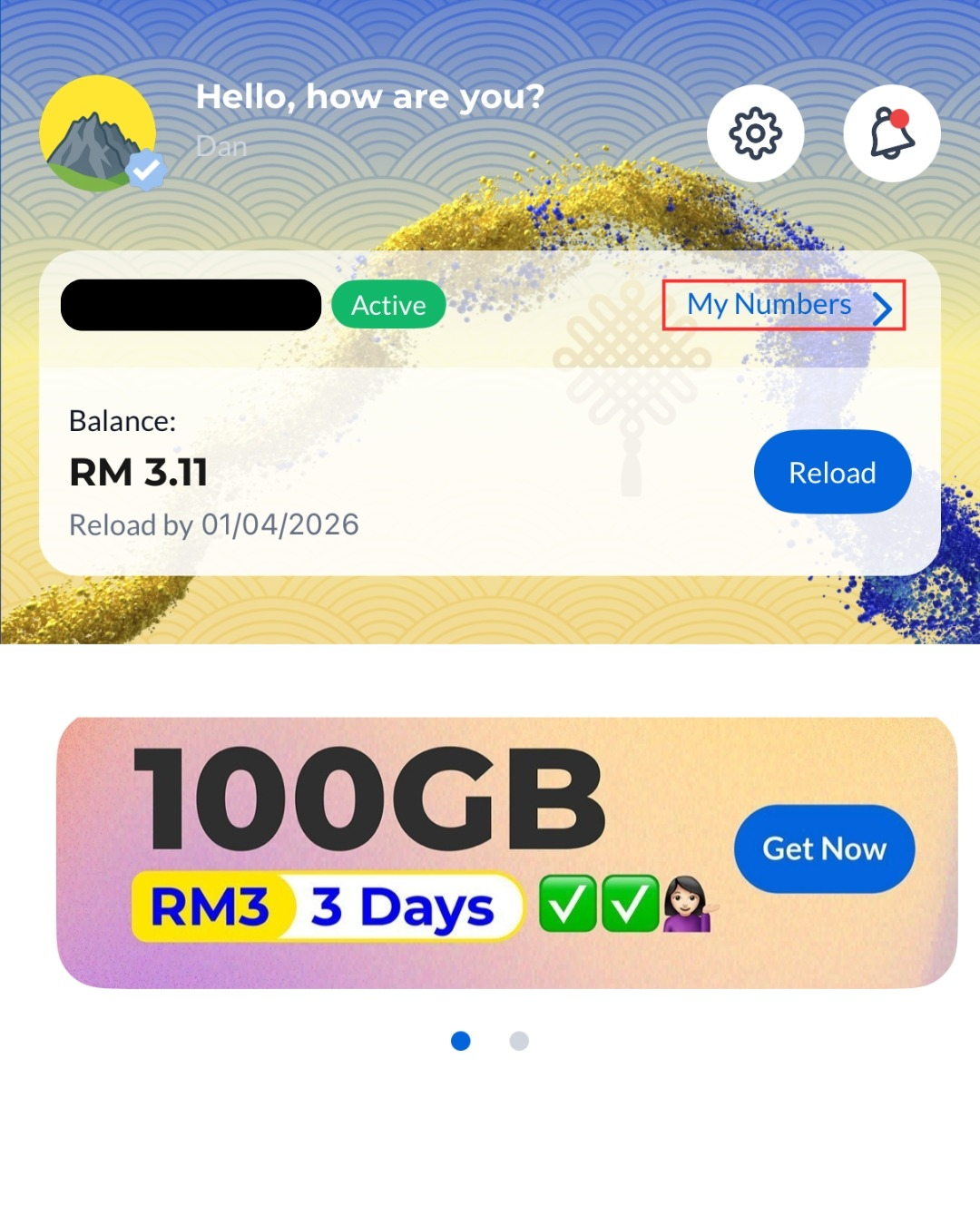
Step 2: Your plan name will appear here. If it shows 'Edisi Biru', you are on the Celcom system. If it shows 'Edisi Kuning', you are on the Digi system. A coloured dot next to your number will also indicate your account system: blue for Celcom and yellow for Digi.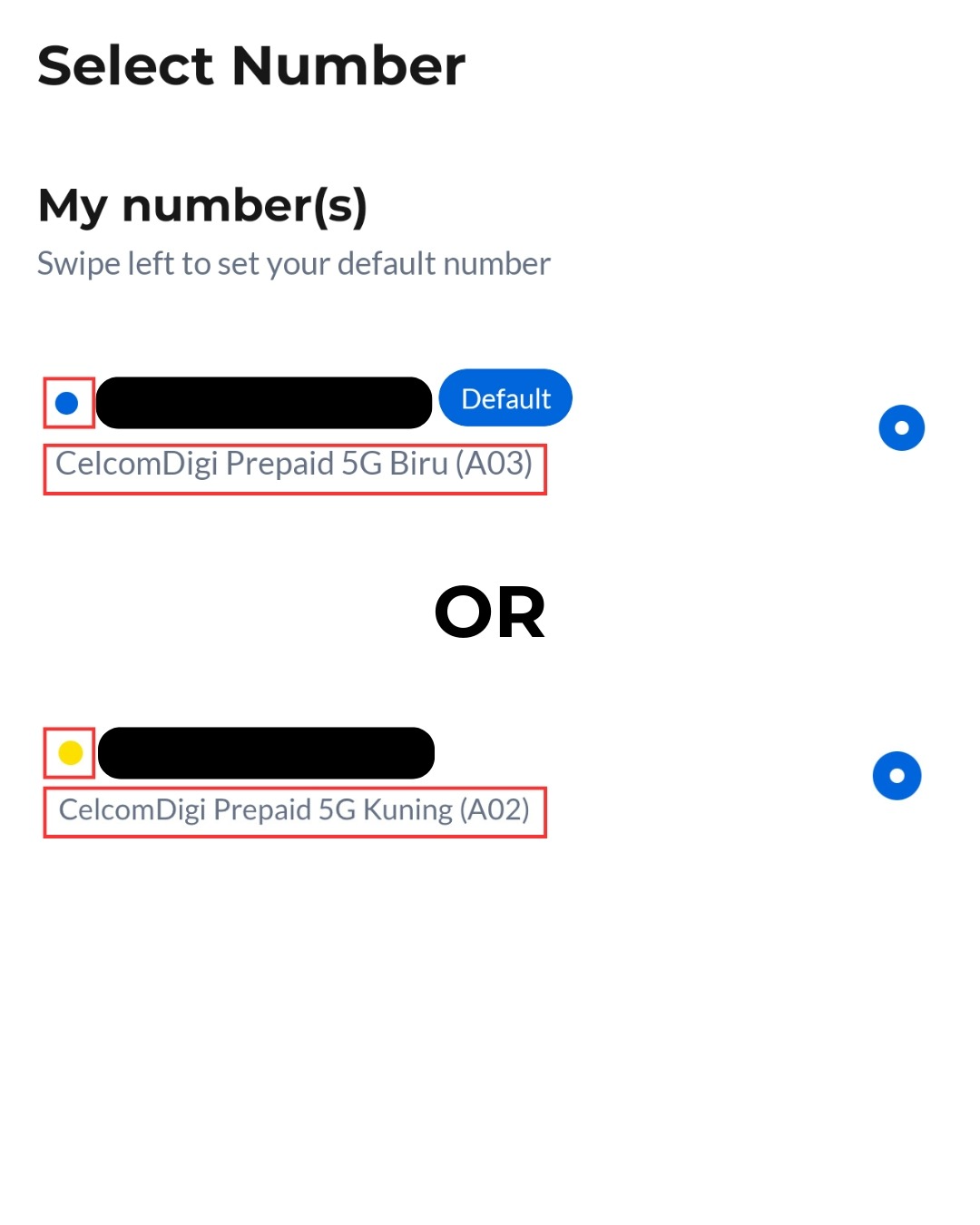
Successful reloads will be updated in your prepaid account within 2 hours. If a reload attempt fails, the amount will be automatically credited back to your bank/ e-Wallet account. If this happens, please try reloading again.
If you need assistance, please contact us on WhatsApp.
Was this article helpful?
That’s Great!
Thank you for your feedback
Sorry! We couldn't be helpful
Thank you for your feedback
Feedback sent
We appreciate your effort and will try to fix the article


